Kód: 53544806
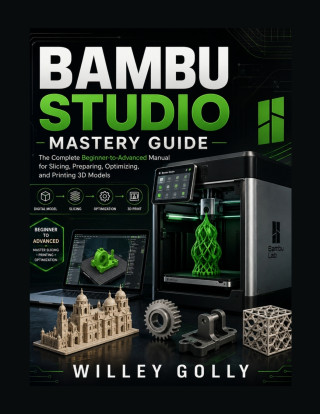
Bambu Studio Mastery Guide
Autor WILLEY GOLLY
Ready to get more from Bambu Studio and take control of your 3D-printing workflow?Whether you are completely new to 3D printing or already comfortable with slicers, Bambu Studio Mastery Guide provides a practical, step-by-step app ... celý popis


- Jazyk:
 Angličtina
 - Vazba: Brožovaná
- Počet stran: 232
Nakladatelství: Independently published, 2026
- Více informací o knize


Mohlo by se vám také líbit
-

Murdoku
319 Kč -

Threshing Day (Wing and Claw Collection)
400 Kč -

Berserk Deluxe Volume 1
880 Kč -

Threshing Day (Limited Deluxe Edition)
473 Kč -

White Nights
87 Kč -

What Happened Yesterday
371 Kč -

Berserk Deluxe Volume 2
918 Kč -

Kid's Box New Generation Level 2 Activity Book with Digital Pack British English
251 Kč -

Onyx Storm (Deluxe Limited Edition) (The Empyrean, 3)
536 Kč -

Berserk Deluxe Volume 3
805 Kč -

Dancing The Dream
482 Kč -

Yesteryear
310 Kč -

Jojo's Bizarre Adventure: Part 7--Steel Ball Run, Vol. 8
427 Kč -

Court of Thorns and Roses 6
358 Kč -

The Odyssey
326 Kč -

Kid's Box New Generation Level 1 Activity Book with Digital Pack British English
251 Kč -

Kid's Box New Generation Level 2 Pupil's Book with eBook British English
469 Kč -

Kid's Box New Generation Level 3 Activity Book with Digital Pack British English
251 Kč -

Fourth Wing
552 Kč -

Iron Flame
552 Kč -

The Count of Monte Cristo
227 Kč
Darujte tuto knihu ještě dnes
- Objednejte knihu a zvolte Zaslat jako dárek.
- Obratem obdržíte darovací poukaz na knihu, který můžete ihned předat obdarovanému.
- Knihu zašleme na adresu obdarovaného, o nic se nestaráte.
Více informací o knize Bambu Studio Mastery Guide
Nákupem získáte 47 bodů
 Anotace knihy
Ready to get more from Bambu Studio and take control of your 3D-printing workflow?
Whether you are completely new to 3D printing or already comfortable with slicers, Bambu Studio Mastery Guide provides a practical, step-by-step approach to preparing models, configuring print settings, optimizing toolpaths, and producing better 3D prints.
Instead of simply explaining what each option does, this guide focuses on how and when to use Bambu Studio's tools in real printing workflows. You will learn how to move from a digital 3D model to a carefully prepared, sliced, previewed, and printable project.
Inside This Bambu Studio User Guide, You Will Learn How To:Understand the Bambu Studio interface and modern 3D-printing workflow
Install and configure Bambu Studio on supported computer platforms
Create, save, and organize professional printing projects
Import and prepare STL, 3MF, STEP, and other supported 3D models
Move, rotate, scale, duplicate, and automatically arrange models
Choose appropriate layer heights, walls, infill, and top/bottom settings
Balance print quality, strength, speed, and material usage
Configure print speeds, temperatures, cooling, and bed adhesion
Understand when and how to use brims and other adhesion features
Configure normal, tree, hybrid, and customized supports
Prepare difficult geometries, overhangs, bridges, and detailed models
Work with filament profiles and different materials
Assign different filaments to objects and parts
Paint models and prepare multicolor 3D prints
Understand filament changes and transition or purge waste
Apply object-level and part-level printing controls
Use modifiers for localized print settings
Create specialized printing profiles for recurring projects
Slice models and understand generated toolpaths
Read the G-code/toolpath Preview before printing
Inspect layers, walls, infill, supports, and multicolor toolpaths
Review estimated print time and filament consumption
Send or export print jobs using appropriate workflows
Diagnose common slicing and printing problems
Develop a systematic approach to troubleshooting failed prints
Build a repeatable workflow for more reliable 3D printing
This book is organized so that you can follow it from beginning to end or jump directly to the topic you need.
Beginners can start with the fundamentals and gradually progress into advanced slicing techniques. More experienced users can use the later chapters as a practical reference for advanced settings, modifiers, supports, multicolor printing, optimization, and troubleshooting.
You will also learn an important professional habit: inspect the sliced Preview before committing your time and filament to a print. Understanding what Bambu Studio actually generates can help you identify problems before they become expensive physical failures.
Who This Book Is ForThis Bambu Studio guide is suitable for:
Complete 3D-printing beginners
Bambu Studio beginners
Hobbyist makers
3D-printing enthusiasts
Designers and creators
Students and educators
DIY and prototyping users
Users who want better control over slicing
Whether you are preparing a simple model, a functional engineering component, a detailed decorative object, or a complex multicolor project, this guide gives you a structured foundation for working more confidently with Bambu Studio.
Parametry knihy
465 Kč
- Plný název: Bambu Studio Mastery Guide
- Podnázev: The Complete Beginner-to-Advanced Manual for Slicing, Preparing, Optimizing, and Printing 3D Models
- Autor: WILLEY GOLLY
- Jazyk: Angličtina
- Vazba: Brožovaná
- Počet stran: 232
- EAN: 9798193493006
- ID: 53544806
- Nakladatelství: Independently published
- Hmotnost: 549 g
- Rozměry: 280 × 216 × 12 mm
- Datum vydání: 18. August 2026
Osobní odběr Praha, Brno a 47930 dalších
Copyright ©2008-26 nejlevnejsi-knihy.cz Všechna práva vyhrazenaSoukromíCookies

 Vrácení do měsíce
 571 999 099 (8-15.30h)