Kód: 53735014
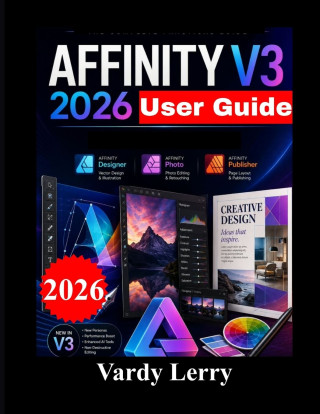
AFFINITY V3 2026 User Guide
Autor Vardy Lerry
A Practical Step-by-Step Guide to Vector Design, Pixel Editing, Page Layout, Typography, and Professional Creative WorkflowsWant to get comfortable with Affinity V3 without spending hours trying to figure out complicated tools on ... celý popis


- Jazyk:
 Angličtina
 - Vazba: Brožovaná
- Počet stran: 84
Nakladatelství: Independently published, 2026
- Více informací o knize


Mohlo by se vám také líbit
-

Threshing Day (Wing and Claw Collection)
400 Kč -

Murdoku
334 Kč -

Threshing Day (Limited Deluxe Edition)
473 Kč -

Berserk Deluxe Volume 1
879 Kč -

White Nights
89 Kč -

What Happened Yesterday
380 Kč -

Berserk Deluxe Volume 2
943 Kč -

Berserk Deluxe Volume 3
782 Kč -

Onyx Storm (Deluxe Limited Edition) (The Empyrean, 3)
527 Kč -

Kid's Box New Generation Level 2 Activity Book with Digital Pack British English
251 Kč -

Court of Thorns and Roses 6
358 Kč -

Dancing The Dream
482 Kč -

Jojo's Bizarre Adventure: Part 7--Steel Ball Run, Vol. 8
427 Kč -

Yesteryear
335 Kč -

Kid's Box New Generation Level 1 Activity Book with Digital Pack British English
251 Kč -

Kid's Box New Generation Level 3 Activity Book with Digital Pack British English
251 Kč -

The Courage To Be Disliked
206 Kč -

The Count of Monte Cristo
227 Kč -

Murdoku
384 Kč -

Iron Flame
552 Kč -

Fourth Wing
522 Kč
Dárkový poukaz: Radost zaručena
- Darujte poukaz v libovolné hodnotě a my se postaráme o zbytek.
- Poukaz se vztahuje na celou naši nabídku.
- Elektronický poukaz vytisknete z e-mailu a můžete ihned darovat.
- Platnost poukazu je 12 měsíců od data vystavení.
Informovat o naskladnění knihy
Zadejte do formuláře e-mailovou adresu a jakmile knihu naskladníme, zašleme vám o tom zprávu. Pohlídáme vše za vás.
Více informací o knize AFFINITY V3 2026 User Guide
Nákupem získáte 39 bodů
 Anotace knihy
A Practical Step-by-Step Guide to Vector Design, Pixel Editing, Page Layout, Typography, and Professional Creative Workflows
Want to get comfortable with Affinity V3 without spending hours trying to figure out complicated tools on your own?
Affinity V3 User Guide is a practical, easy-to-follow resource created to help beginners and developing designers understand the essential features and workflows of Affinity V3 and start creating useful projects with confidence.
Rather than overwhelming you with unnecessary technical explanations, this guide focuses on practical learning, clear instructions, and real-world applications. Each chapter builds on the previous one, helping you move from understanding the workspace to creating and preparing finished designs.
Inside This Guide, You'll Discover:How to navigate and understand the Affinity V3 workspace
How to create, save, organize, and manage design projects
How to work effectively with Vector, Pixel, and Layout
How to create vector artwork using shapes, curves, nodes, fills, and strokes
How to manage layers, groups, guides, grids, snapping, and alignment
How to import, crop, retouch, and enhance photographs
How to make selections and use masks for flexible image editing
How to adjust brightness, contrast, color, and image appearance
How to work with typography, text frames, paragraph formatting, and text hierarchy
How to create organized multi-page documents
How to place and arrange images within professional layouts
How to combine vector graphics, photographs, and page layouts in one workflow
How to create practical projects such as logos, flyers, social media graphics, brochures, and book layouts
How to save editable projects and manage supporting files
How to export finished designs for digital use and printing
How to prepare documents with appropriate margins and bleed
How to troubleshoot common problems involving images, fonts, layers, and project files
The fastest way to become comfortable with design software is to actually use it. That's why this guide incorporates practical project-based workflows.
You will learn how the techniques work together while creating logos, promotional graphics, product images, social media designs, flyers, brochures, and multi-page documents.
Whether you are learning graphic design for the first time or simply want a practical reference you can return to while working, the explanations are structured to make the learning process straightforward.
Who Is This Guide For?This book is suitable for:
Beginners learning Affinity V3
Aspiring graphic designers
Digital artists and illustrators
Photographers and content creators
Entrepreneurs and marketers
Students and self-learners
Authors and publishers creating layouts
Anyone looking for a practical Affinity V3 reference
You do not need to master every feature before you begin. Start with the fundamentals, practice the workflows, and gradually build your confidence.
Affinity V3 User Guide gives you a practical foundation for creating, editing, organizing, and exporting professional-looking creative projects.
Open Affinity V3, follow the steps, practice the projects, and start turning your ideas into finished designs.
Parametry knihy
390 Kč
- Plný název: AFFINITY V3 2026 User Guide
- Podnázev: A Step-by-Step Beginner's Manual to Vector Design, Photo Editing, Layout, and Creative Workflows
- Autor: Vardy Lerry
- Jazyk: Angličtina
- Vazba: Brožovaná
- Počet stran: 84
- EAN: 9798171158644
- ID: 53735014
- Nakladatelství: Independently published
- Hmotnost: 218 g
- Rozměry: 280 × 216 × 4 mm
- Datum vydání: 01. September 2026
Osobní odběr Praha, Brno a 48052 dalších
Copyright ©2008-26 nejlevnejsi-knihy.cz Všechna práva vyhrazenaSoukromíCookies

 Vrácení do měsíce
 571 999 099 (8-15.30h)